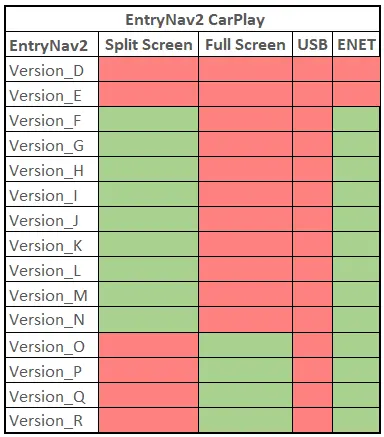
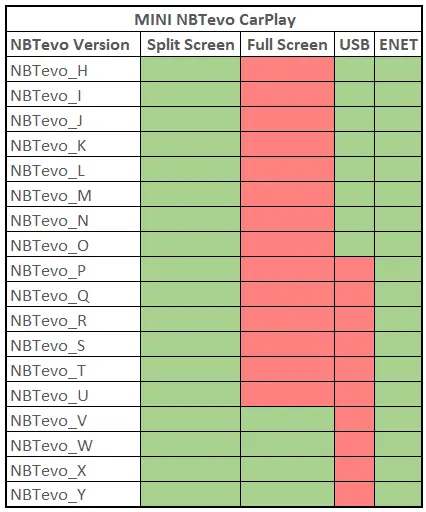
1. Via USB Stick : After you purchase this we will send you the activation files and procedure through email.
You need to use a FAT32 formatted USB. Then you plug it in to the USB port located in the arm rest. That’s it!
You can do it yourself by downloading the procedure:
CarPlay USB Procedure
2. Remote Activation via ENET Cable : We will connect to your laptop and activate Apple CarPlay for you.
Easy and really simple to do, no technical knowledge required at all.
For remote coding, you require ENET cable and Windows laptop (Check requirements below).
You can do it yourself by downloading the procedure: