


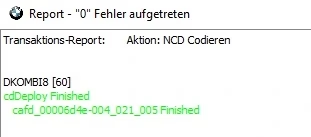


Secure Coding NCD 2.0-3.0 Generator
BMW,Mini,Rolls-Royce E-Sys NCD 2.0 Coding Files – Fast Generation for All Secure Coding Vehicles 🚗⚙️
Generate complete NCD 2.0 coding files for BMW E-Sys in minutes. Compatible with all BMW, MINI, and Rolls-Royce Secure Coding vehicles. Fast 24/7 service. ⚡


Secure Coding NCD 2.0-3.0 Generator
Description
🔧 Complete NCD 2.0 Coding Files for BMW E-Sys
🚀 What Do You Get?
You receive a complete set of NCD 2.0 coding files for seamless use with BMW E-Sys.
This package enables fast, accurate, and secure coding for all supported BMW platforms. ✨
⏱️ Generation Time
Your NCD 2.0 coding files are generated in just 3–5 minutes.
The system operates 24/7, ensuring constant availability whenever you need it. 🌙⚡
🚗 Supported Vehicles
All vehicles using the Secure Coding standard are supported, including:
-
BMW
-
MINI
-
Rolls-Royce (RR)
If your vehicle uses secure coding—the service supports it. ✔️
🛠️ How Does It Work?
1️⃣ Adjust or Confirm the Vehicle FA
Keep the current FA or modify the original FA of the vehicle using E-Sys.
2️⃣ Read or Generate the Vehicle’s SVT
Read the current SVT (Read ECU) or calculate the programming SVT, then save it.
⚠️ Important:
If you see CAFD_FFFFFFFF_255_255_255 and are missing CAFD files for an ECU, download the Target SVT.
3️⃣ Upload FA & SVT to the NCD Generator
Load both the FA and SVT into the NCD generator and wait for the service to process your request.
After processing, download the generated NCD set.
4️⃣ Connect with E-Sys
Open E-Sys and connect to your vehicle.
5️⃣ Detect Missing CAFD (If Needed)
If an ECU doesn’t have a CAFD file, click “Detect CAF for SWE” and select the correct CAFD.
6️⃣ Load & Code the Generated NCD
Right-click the CAFD block you wish to code and choose New → NCD.
Select your generated NCD file and click “Code NCD” to complete the process. ✅
There are no question found.





Rating & Review
There are no reviews yet.