


SFA Debugging Token
🔧 BMW,Mini,Rolls-Royce E-Sys Debug Token Generator – Fast & Automated Processing
⏱️ How Long Does Processing Take?
The system operates fully automatically and is available File calculations are only possible during working hours. (09:00 – 24:00 CET)
Average processing time: under 10 minutes. ⚡🕒
NEED ESYS FOR Create Request File..


SFA Debugging Token
Description
🔧 BMW,Mini,Rolls-Royce E-Sys Debug Token Generator – Fast & Automated Processing
📦 What Do You Get?
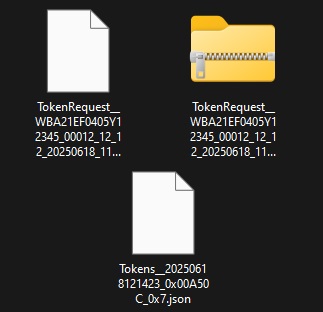
You download a Request File from E-Sys, upload it to our service, and receive a generated file containing Debug Tokens in return.
These tokens provide access to advanced engineering and diagnostic capabilities. 🔐⚙️
⏱️ How Long Does Processing Take?
The system operates fully automatically and is available File calculations are only possible during working hours. (09:00 – 24:00 CET)
Average processing time: under 10 minutes. ⚡🕒
🧰 When Are Debug Tokens Needed?
🔹 Service Functions & Online-Only ABL Plans
Required for executing advanced service workflows that normally need online authentication.
🔹 Debugging & Testing Features
Used for ECU debugging, engineering analysis, test scenarios, and custom development. 🛠️
🔹 Advanced Operations (SecOC, LCS, etc.)
Essential for security-related operations like SecOC and module-level configuration such as LCS. 🔒
🛠️ How to Upload and Use Debug Tokens
1️⃣ Open SFA in E-Sys
In E-Sys, navigate to:
Comfort Mode → SFA
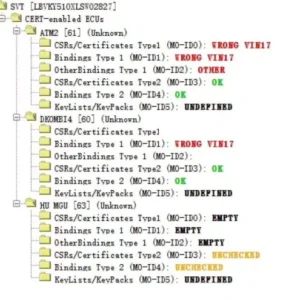
2️⃣ Read Vehicle Data
In the Offline tab, select:
-
Read SVT (ECU)
-
Read VIN
📥 This synchronizes required information.
3️⃣ Create the Engineering Mode Request File
Click “Create request file Engineering Mode”.
Save the file—its location appears in the status bar. 🗂️
4️⃣ Upload the File to the Debug Token Generator
Upload the saved file to our SFA Debug Token Generator.
The system automatically processes it and generates your Debug Token file. 🤖⚙️
5️⃣ Write the Debug Token in E-Sys
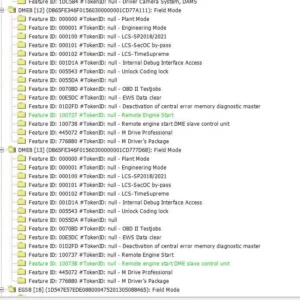
Go to Offline via ECU-Mode, upload the generated file, and click “Write Secure Tokens”. 🔏
6️⃣ Confirm Successful Token Installation
Select “Read actual SFA state” to verify that the Debug Token has been accepted.
🎉 You now have full engineering-mode functionality enabled.
There are no question found.




Rating & Review
There are no reviews yet.